How to give your team one AI subscription with a shared credit pool and a spend limit per member (2026)
Per-seat plans give each person their own allowance; a pooled plan gives the team one balance. How ChatGPT Business, Claude Team, Poe, Juma, Writingmate and Endless handle seats, shared credits and limits per member, and how to set it up in Endless.

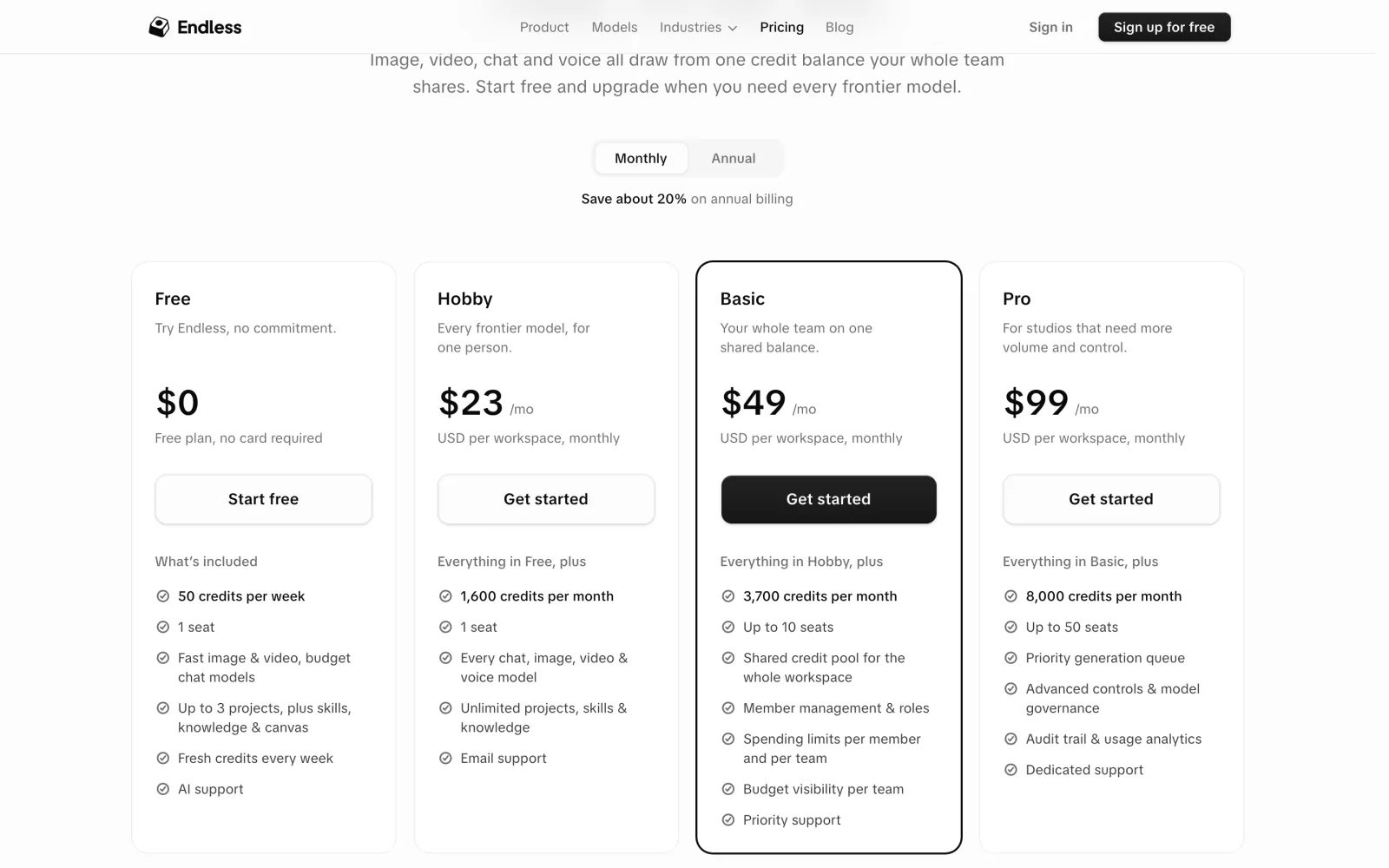
To give a team one AI subscription with a shared balance and a cap per person, you need a plan priced per workspace whose credits everyone spends, and an admin setting that limits each member. In Endless, that is the Basic plan ($49 a month for up to 10 people and 3,700 credits) or Pro ($99 for up to 50 people and 8,000 credits), with a spending limit set on each member or on each team. ChatGPT Business and Claude Team work differently: each seat has its own usage limit, and a shared pool only covers extra credits you buy.
This guide explains the difference, compares six options with numbers from each company's own pages, and shows the setup in Endless screen by screen. We make Endless, so read our section with that in mind; we have tried to be as specific about its limits as about everyone else's.
We read every pricing and help page cited here on 26 November 2026. Prices are US list prices before tax.
Quick facts
- Endless Basic: $49 a month, or $39 billed yearly, for 3,700 credits a month and up to 10 seats.
- Endless Pro: $99 a month, or $79 billed yearly, for 8,000 credits a month and up to 50 seats.
- Endless limits: per member and per team, in credits per billing cycle. A personal limit takes the place of the team's.
- ChatGPT Business: $25 per Standard seat a month, or $20 billed yearly. Purchased credits are pooled; admins set monthly credit limits per seat type and per user.
- Claude Team: $25 per Standard seat a month, or $20 billed yearly, for 2 to 150 seats. Usage limits are per member and can't be shared.
- Poe: one subscription shared with invited members, who all spend the same points, with no limit per member.
- Juma: from $49 a month for 5,000 credits, unlimited seats, credits pooled across the workspace. Limits per member: not stated.
- Writingmate: from $19.99 a month billed yearly for 800 credits, "unlimited teammates". Limits per member: not stated.
What is the difference between a per-seat plan and a pooled plan?
A per-seat plan charges for each person, and each person gets a fixed allowance. A light user's unused allowance stays with them, and a heavy user hits their own limit while others still have room. Adding a person adds a seat to the bill.
A pooled plan charges for the workspace, and everyone spends from one balance. The light user's share goes to whoever needs it. The risk is the opposite: one person can spend the whole month's balance. That is why a pooled plan needs a cap per member, set by an admin, to be safe for a team.
Some per-seat plans now add a pool on top. ChatGPT Business and Claude Team keep a usage limit on each seat, and let an owner buy extra credits that members draw from once their seat's limit runs out.
How do ChatGPT Business, Claude Team, Poe, Juma, Writingmate and Endless compare?
From each company's pricing and help pages, read on 26 November 2026.
| Option | How seats are priced | Shared credits | Limit per member |
|---|---|---|---|
| ChatGPT Business | Per seat: Standard $25 a month or $20 billed yearly; Premium $125 or $100. For teams of 2 to 200 employees | Usage limits per seat. Credits the workspace buys are pooled across all users | Monthly credit limits by seat type, with a per-user override |
| Claude Team | Per seat: Standard $25 a month or $20 billed yearly; Premium $125 or $100. 2 to 150 seats | Usage limits per member, not shared. Owners can buy usage credits with an organization-wide spend limit | Individual monthly spend limits "where available" |
| Poe | No team plan or seat price. The subscriber invites members to one subscription | All members use the same points | None. To limit a member, you remove them from the subscription |
| Juma | No per-seat pricing, unlimited seats. Pro Starter from $49 a month for 5,000 credits | Credits pooled at the workspace level | Not stated. Usage reports show credits per user |
| Writingmate | "Unlimited teammates, no per-seat fees". Pro $19.99 a month billed yearly for 800 credits | One monthly credit pool per plan. Whether teammates share it: not stated | Not stated |
| Endless | No per-seat pricing. Basic $49 a month or $39 billed yearly, up to 10 seats; Pro $99 or $79, up to 50 | One balance for the workspace: 3,700 credits a month on Basic, 8,000 on Pro | Per member and per team, in credits per billing cycle |
ChatGPT Business
The pricing page lists a Standard seat at $25 a month, or $20 billed yearly, and a Premium seat at $125, or $100 billed yearly, for teams of 2 to 200 employees. Usage is per seat. OpenAI's flexible pricing article says that when a user exceeds their limit and the workspace has bought credits, "they can continue drawing from the shared pool", and that "credits are pooled across all users." Its credits and spend controls article says owners and admins "can manage monthly credit usage limits by seat type and per-user overrides", and that by default no seat or user has a limit.
Claude Team
The pricing page lists a Standard seat at $25 a month, or $20 billed yearly, and a Premium seat at $125, or $100 billed yearly. The Team plan article says Team needs at least two members and supports up to 150, and that "usage limits on Team plans are per-member, rather than applied to the team as a whole." They "can't be transferred or shared between team members." Owners can pre-buy usage credits, billed at API rates, and set a monthly spend limit for the organization. The usage credits article says owners can also set individual monthly spend limits "where available", and that they aren't available to every Team organization.
Poe
Poe sells individual plans priced by points on its subscription page, with no seat price. Its purchases FAQ says a subscriber can invite members from Settings, that "all members of your shared subscription will be able to equally use your points," and that to limit a member's usage "you will need to remove them from your shared subscription."
Juma
Juma's pricing page says: "Invite your whole team. Credits are shared at the workspace level - no per-seat pricing ever." Pro Starter is $49 a month for 5,000 credits, with larger credit tiers up to 100,000. Admins see credits per user and per Flow in usage reports. The page doesn't mention a spending limit per member.
Writingmate
Every plan on Writingmate's pricing page says "Unlimited teammates, no per-seat fees". Pro is $19.99 a month billed yearly for 800 credits, Ultimate $39.99 for 2,000 and Ultra $99 for 5,000. Its plan comparison says chat, images, video and web search come out of "one monthly pool of credits." Neither page says whether teammates share that pool, or mentions limits per member.
Endless
Basic is $49 a month for the workspace, or $39 billed yearly, with 3,700 credits a month and up to 10 seats. Pro is $99, or $79 billed yearly, with 8,000 credits and up to 50 seats. Every member spends from the same balance, and admins set limits per member and per team. Source: the pricing page.
How do you set up a shared credit pool with limits per member in Endless?
These steps follow the current Endless interface. Setting limits on people needs the Invite and remove members permission, and creating teams needs Change workspace settings. By default, only admins have both.
- Choose Basic or Pro. Free and Hobby have one seat, so a team starts on Basic. You change plans in Settings → Billing.
- Invite people. In Settings → Workspace → Members, press Invite. On the By email tab, add the addresses under Email addresses, pick a Role and an optional Team, and press Send invites. The role and team apply to everyone in that batch.
- Or invite with a link that carries a limit. On the Invite links tab, press New link and fill in Spending limit per person in credits. Everyone who joins through that link gets that limit. Leave it empty for no limit.
- Set a limit on a person. In the members list, select the person's Spending limit cell, type the credits per cycle and press Save. The same field is on each person's profile.
- Group people into teams. In Settings → Workspace → Teams, press Create team. Enter a Team name and, if you want, a Spending limit (optional). The form explains: "Leave empty for no limit. Members without a personal limit use this one." Add people on the Members tab.
- Give one person an exception. On a member of a team with a limit, the field reads Override the team limit. Type a number to give them their own limit, or choose Use team limit to go back to the team's.
- Watch the spending. The members list shows each person's Credits used next to their limit. The Teams page shows each team's spending against its limit, and the Usage page breaks spending down by member, team, model and feature.
Which limit applies when a person has both?
Endless applies the first rule that fits:
- The person's own limit.
- Their team's limit, when they have no limit of their own.
- The workspace balance, when neither is set.
A personal limit replaces the team's for that person. A person is on one team at most. All limits count credits per billing cycle and reset with it. The rules are in Teams and limits and Credits and spending.
What happens when a member or the workspace runs out?
- A member reaches their limit. They see "You've reached your personal spending limit. Your workspace still has credits." An admin can raise the limit.
- A team reaches its limit. Its members see "This team reached its spending limit. Your workspace still has credits." The fix is to raise the team's limit.
- The workspace balance runs out. Limits don't reserve credits, so everyone stops, even people under their limit. On a paid plan, members keep chatting with low-cost models, with a usage limit that resets every few hours; images and video wait for new credits. On Basic and above, someone with billing access can buy extra credits at any time.
When is a per-seat plan the better choice?
When everyone on the team uses AI about the same amount, a per-seat plan is easier to predict: each person has a known allowance and nobody can use up someone else's. It also fits when the team wants one company's own app and its features, such as Claude Code or ChatGPT's connectors. A pooled plan fits a team where a few people use AI heavily and the rest occasionally, or where the work mixes chat with images and video. For what a team of five pays with each option, see our guide on how to share an AI subscription with your team.
FAQ
Which AI subscription lets a team share one credit pool with a spend limit per member?
In Endless, Basic and Pro share one credit balance across the workspace and let admins set limits per member and per team. ChatGPT Business pools the credits a workspace buys and lets admins set credit limits per seat type and per user. Claude Team offers individual spend limits on usage credits where available. Poe shares one points balance with no limit per member, and Juma's and Writingmate's pricing pages don't mention one.
Do ChatGPT Business and Claude Team share usage between members?
Not the included usage. Both give each seat its own limit. Claude's help center says Team usage limits "can't be transferred or shared between team members." Both let the workspace buy extra credits that members draw from after their seat's limit.
How much does Endless cost for a team?
Basic is $49 a month, or $39 billed yearly, for up to 10 people and 3,700 credits a month. Pro is $99, or $79 billed yearly, for up to 50 people and 8,000 credits. There is no charge per seat.
Can I give one person more credits than the rest of their team?
Yes. Set a personal limit on that person. It replaces the team limit for them only.
Who can set spending limits in Endless?
People with the Invite and remove members permission set limits on members, and people with Change workspace settings create teams and set their limits. By default, both are admin permissions.
Does a spending limit reserve credits for a person?
No. A limit only caps what a person can spend. If the workspace balance runs out, everyone stops, including people who are under their limit.
Bring this to your team
Start creating with Endless: chat, image, video, transcripts, and social insight in one workspace.
Keep reading
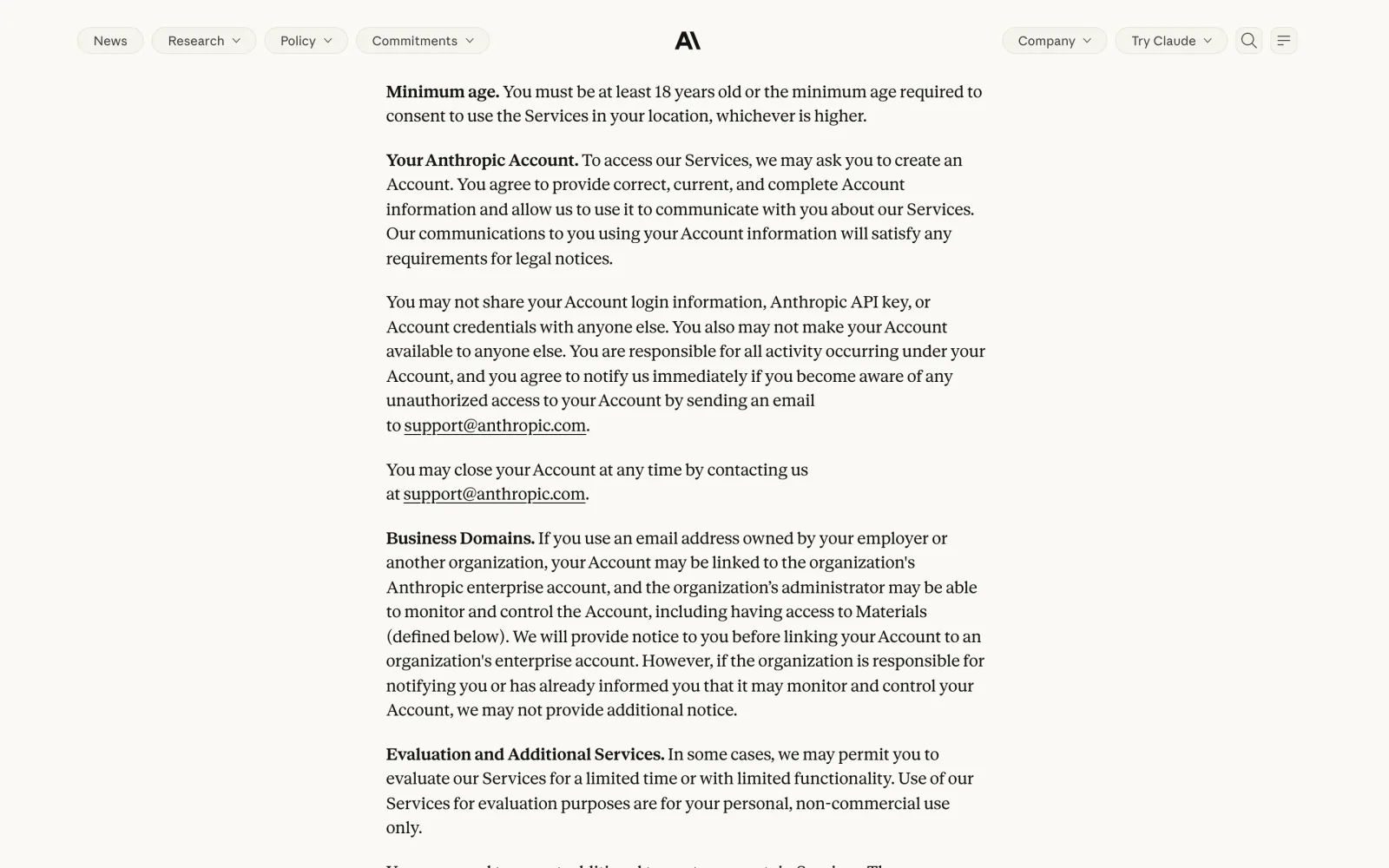
The risks of sharing one ChatGPT or Claude account at work, and what to do instead (2026)
What can go wrong when several people use one ChatGPT Plus or Claude Pro login: the terms, mixed chat history and memory, training settings, one usage limit, security alerts and offboarding. Then what a team can use instead.
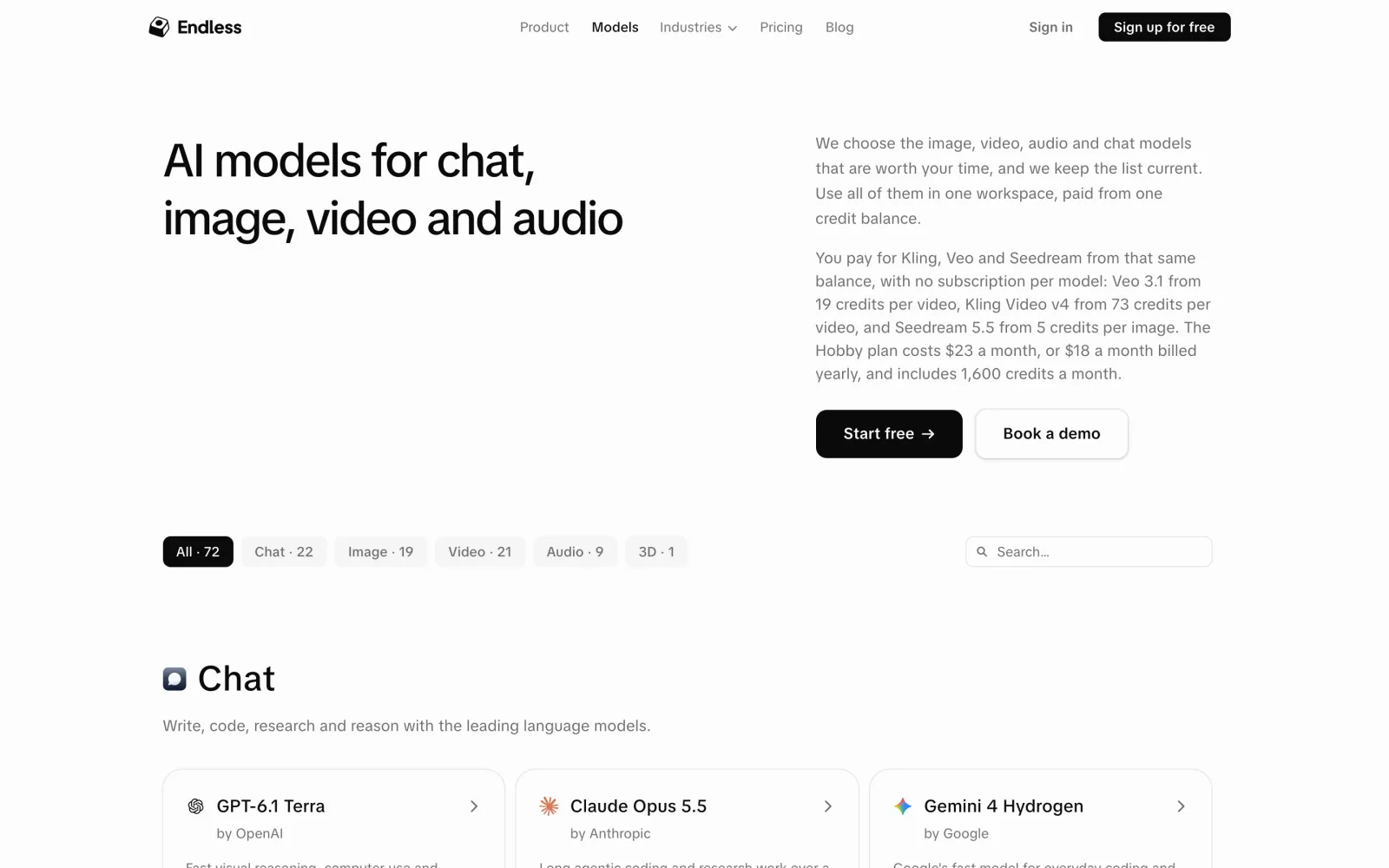
The best apps to use ChatGPT, Claude, Gemini and Grok with one subscription (2026)
Poe, T3 Chat, ChatLLM, Mammouth, Writingmate, Magai, TypingMind, OpenRouter and Endless compared: which models each one includes, how limits work, how a team pays, and whether it also makes images and video.
How to share an AI subscription with your team, and what each option costs (2026)
Why one ChatGPT Plus or Claude Pro login can't be shared, and what a team of five pays instead: ChatGPT Business, Claude Team, Google Workspace, Poe, Magai, Mammouth, Krater and Endless.