How to make an AI video hook: an 8-second supercar take-off, every prompt
How we made an 8-second street-interview hook where a supercar flies away, plus the B-roll, the inserts and the voiceover, all in Endless with Seedance 2.5. Every prompt, the car references and the four takes it took.

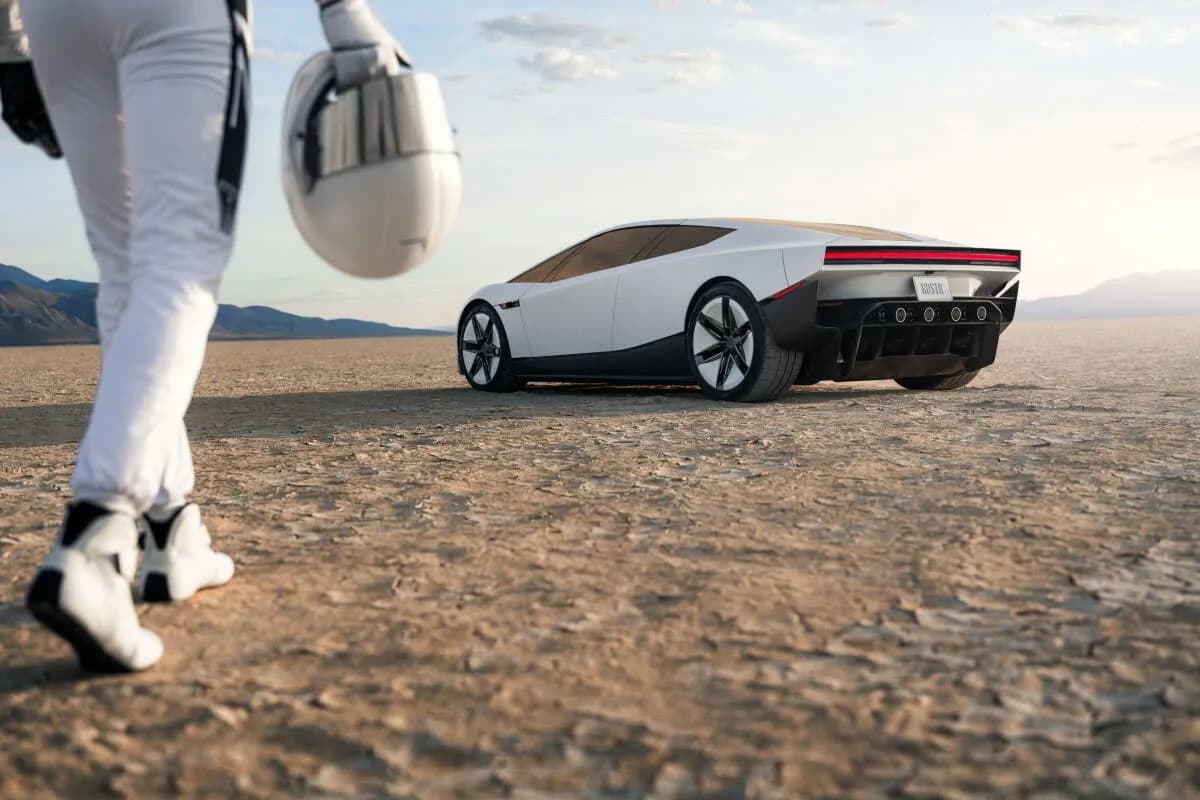
To make an AI video hook that keeps people watching, take a structure that already works in your niche and write it as a timed prompt: each beat of dialogue and action gets its own range of seconds, so the question, the answer and the surprise all fit in one short clip. We did this for a street-interview hook. Someone asks a man in a supercar what he does for a living, he says "I sell AI videos", closes the door and the car flies away. It runs eight seconds in one continuous take, and the rest of the reel explains how it was made.
Everything in it was made in Endless: the hook, the B-roll and the inserts with Seedance 2.5, and the voiceover with ElevenLabs v4. This guide has every prompt, the car references and the four takes the hook needed.
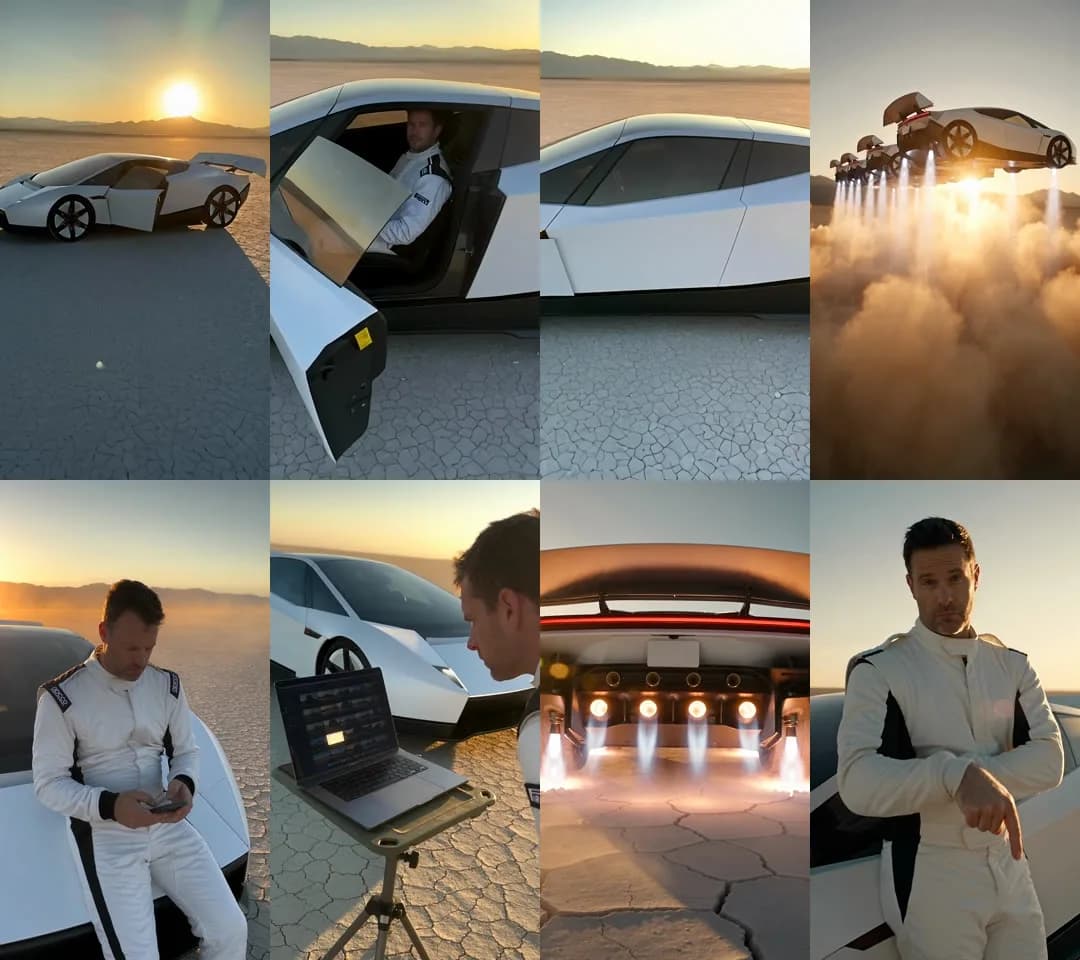
All the shots use one car, one driver and one lakebed. Every frame comes directly from Seedance 2.5 in Endless.
This is the finished reel:
What is the idea behind the hook?
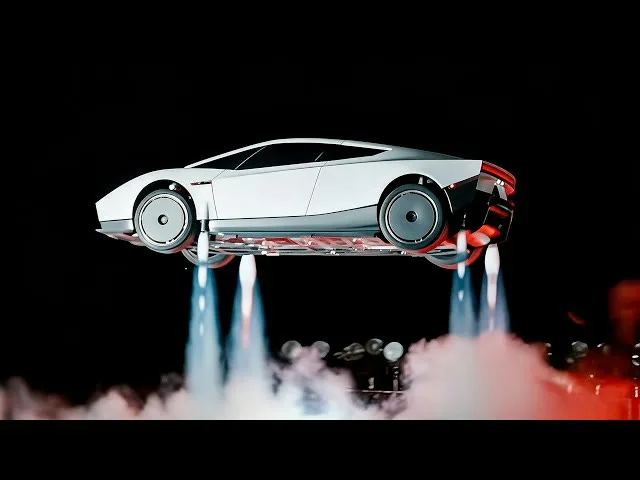
It is a street-interview hook with a payoff nobody expects. Someone stops a guy in a supercar and asks what he does for a living. He answers "I sell AI videos", closes the door, and the car flies away. After those eight seconds, the video explains how it was made.
It started from two images: the shot we wanted to open on, and the payoff.
| What | Model in Endless | Settings |
|---|---|---|
| The hook | Seedance 2.5 | 8 s, 480p, 9:16, audio on, 3 car references |
| B-roll | Seedance 2.5 | 8 s, 480p, 9:16, audio off, same car references |
| Inserts | Seedance 2.5 | 5 s, 720p, 9:16, audio off, no references |
| Final B-roll in 1080p | Seedance 2.5 Draft complete | Same take, re-rendered at full resolution |
| Voiceover | ElevenLabs v4 | Voice "Eric", stability 1 |
Step 0: find the format with real data
We started from data: in the Endless chat we scanned supercar and street-interview accounts, sorted their reels by views against each account's average and broke down the outliers: the hook, the pacing and the second where people stop scrolling. This is the prompt:
The top outlier in that scan was a supercar street interview with 29.5M views, 34x the creator's average. Its structure is simple: a question from behind the camera, a short answer and a visual surprise. We kept that structure and changed everything else.
Step 1: how do you keep the same car in every shot?
Attach the same three reference images of the car to every Seedance prompt:
@image1: rear three-quarter (wing, light bar, wheels)@image2: the "flight mode", four small rocket thrusters under the rear bumper@image3: front three-quarter (nose and headlight strip)

Full size: @image1, @image2, @image3.
Any clean product shots of your hero object will do, and studio renders work well. Three things in the prompt matter more than the images themselves:
- Describe the car in words too, inside the prompt: "white wedge-shaped two-seat electric hypercar, dark tinted glass canopy, black lower body, big rear wing, full-width red light bar, five-spoke black wheels".
- Ban the logos: "no logos, no badges, no readable text on the license plate".
- Remove the studio background: "Do not use the dark studio backgrounds of the images." Without this line, Seedance can bring the black studio into the desert.
Step 2: the 8-second hook prompt
The hook has four beats: the walk-up and the question, the answer, the door closing and the take-off.
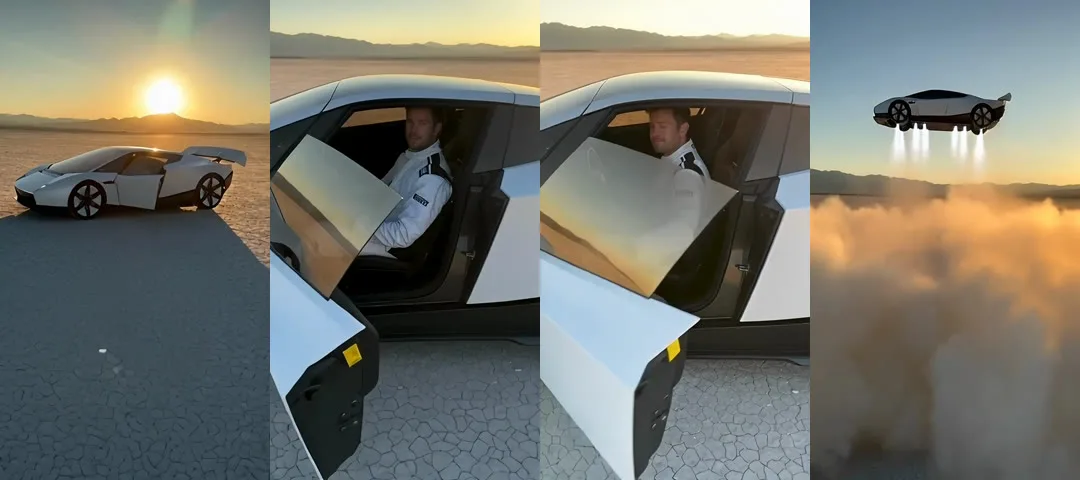
Seedance 2.5, 8 s, 480p, 9:16, audio on, with @image1, @image2 and
@image3 attached.
How many takes does an AI video hook need?
This one needed four. The final prompt is the fourth version, and each take showed one thing to fix.
| Take | What happened | What we changed |
|---|---|---|
| 1, 12 s | He stands outside, puts on a helmet and gets in. Too slow for a hook. | Put him already inside, door open. |
| 2, 12 s | Better, but the helmet still takes two seconds. | No helmet, everything in 8 seconds. |
| 3, 8 s | Fast enough, but it opens on his face and the car barely shows. | Open wide on the whole car, then walk in. |
| 4, 8 s | The car, the question, the answer and the take-off, all in one take. | Final. |
Take 1 (12 s)
He stands outside and puts on a helmet before he gets in, which is too slow for a hook. In the next take he is already inside with the door open.
Take 2 (12 s)
The helmet still takes two seconds, so the next take drops it and fits everything into 8 seconds.
Take 3 (8 s)
It is fast enough, but it opens on his face and the car barely shows. The next take opens wide on the whole car and then walks in.
Take 4 (8 s, final)
Everything from the walk-up to the take-off happens in one continuous take.
Plan for three or four takes of any hook. At 480p and 8 seconds each take is cheap, and each one tells you what to fix in the prompt.
What made this prompt work
- Every beat has a time range. Eight seconds is tight, and the timeline keeps the question, the answer and the take-off inside the clip.
- Dialogue goes in
{curly braces}. Seedance reads it as spoken lines and works out who says each one from the sentence around it. - The clip opens wide. The first takes started too close and the car barely showed, and "showing the WHOLE white car in frame, nose to rear wing" fixed it.
- The prompt never uses the word "phone". If a phone is mentioned anywhere, even as "filmed on a phone", one tends to show up in frame. Describe the camera instead ("handheld point-of-view, chest height") and add "no hands, no devices".
- The resolution is 480p on purpose. At 480p the footage looks like something a stranger filmed on the street, and at 720p and up it looks more like an ad.
Step 3: the B-roll
The second half of the reel explains the process over B-roll. Every shot uses the same driver description and the same car references, so it all looks like one shoot. The settings for all of them are Seedance 2.5, 8 s, 480p, 9:16, audio off. Once a take was approved, we re-rendered it with Seedance 2.5 Draft complete to get the same take in full 1080p.
@image1, @image2 and so on follow the order you attach the images in that
generation. Each shot below lists its references in attach order.
04: on the hood, scrolling
References: rear three-quarter, front three-quarter.
05: phone macro, the feed stops on the car
Reference: rear three-quarter.
06: laptop on the lakebed
Reference: rear three-quarter.
07: cockpit, scrubbing a timeline
References: rear three-quarter, front three-quarter.
08: thrusters, macro
References: thrusters, rear three-quarter.
09: five cars, one lift-off
References: rear three-quarter, thrusters, front three-quarter.
10: flying, from the passenger seat
References: rear three-quarter, front three-quarter.
11: the CTA shot, lean, nod and point down
References: rear three-quarter, front three-quarter.
Step 4: inserts from a different place
When every shot comes from the same scene, the explanation looks flat. Good explainer reels cut away to visual metaphors from a completely different place. We made three inserts with no references, all in Seedance 2.5, 5 s, 720p, 9:16, audio off.
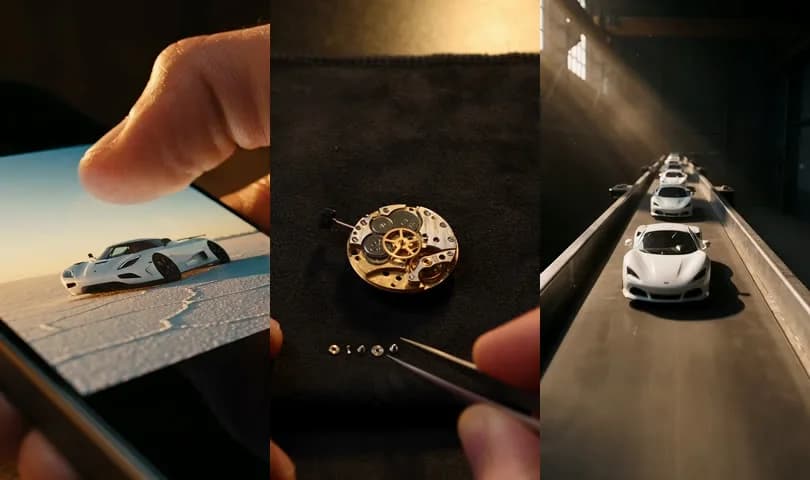
| Line in the voiceover | Insert |
|---|---|
| "…and pull the outliers" | A thumb scrolling a blurred feed that stops dead on the car |
| "Endless breaks them down" | A watchmaker taking a watch apart, part by part |
| "We make five" | Five identical scale cars gliding down a factory line |
12: the scroll that stops
13: the watchmaker
14: five on the line
Keep the same light in the inserts as in the main scene, here warm golden hour. The matching light is what lets a shot of a watchmaker's desk sit next to a shot of a desert lakebed in the same reel.
Step 5: the voiceover
Model: ElevenLabs v4, voice "Eric", stability 1. The highest stability gives the flattest, most deadpan read. You can make the same kind of clip with text to speech.
The tone is dry and fast, like someone explaining something they find obvious. The bracketed tags at the start set the delivery.
Write the script for the ear: short sentences with one idea each, and numbers spelled out ("ten times", "two seconds").
How to make your own version
Swap three things and keep the rest of the hook prompt as it is:
- The hero object: a car, a watch, a sneaker or a building. Attach two or three clean images of it.
- The answer: "I sell AI videos" becomes what you do, in five words or fewer.
- The payoff: something your object does that nobody expects. It can fly, fold, disappear or multiply.
Then generate four or five takes of the same hook in Endless and keep the one where the payoff works best. For a talking creator instead of a hero object, the same reference approach is in our guide to AI UGC videos with a consistent creator.
You can run every step of this, from the niche scan to the voiceover, in Endless.
FAQ
What is a video hook?
A video hook is the first few seconds of a short video, made to stop people from scrolling past it. The hook in this guide is a street interview: a question from behind the camera, a short answer and a visual surprise, all in eight seconds.
How long should an AI video hook be?
This one is 8 seconds in one continuous take. The first two takes ran 12 seconds and were too slow, because the driver spent time outside the car and putting on a helmet. Cutting it to 8 seconds kept the question, the answer and the take-off inside the clip.
How do you keep the same car across Seedance shots?
Attach the same three reference images to every prompt, describe the car in words inside the prompt, ban logos and readable plate text, and add "Do not use the dark studio backgrounds of the images." Every shot in this guide used the same references and the same driver description.
How do you write dialogue in a Seedance prompt?
Put each spoken line in {curly braces} on a timeline, with a time range for
every beat. Seedance reads the braces as spoken lines and works out who says
each one from the sentence around it. Name the dialogue language at the top of
the timeline.
Why render an AI video hook at 480p?
At 480p the footage looks like something a stranger filmed on the street, which suits a street-interview hook. At 720p and up it looks more like an ad. Each 480p take is also cheap, which helps when a hook needs three or four takes.
Why does a phone appear in the AI video?
If the prompt mentions a phone anywhere, even as "filmed on a phone", one tends to show up in frame. Describe the camera instead, for example "handheld point-of-view, chest height", and add "no hands, no devices".
Which voice settings give a deadpan voiceover?
This voiceover used ElevenLabs v4 with the voice "Eric" at stability 1, the highest setting, which gives the flattest read. Bracketed tags at the start of the script, such as "[completely flat, monotone, bored, dry, unimpressed]", set the delivery.
Keep reading
The best Runway alternatives in 2026 for AI video
Kling, Google Flow, Luma, Higgsfield, Pika, Hailuo and Endless: what each one offers instead of Runway, who it suits, what it costs and where it falls short.
What is Higgsfield: features, pricing, free plan and alternatives
Higgsfield is a video-first AI studio with cinematic presets, its own Soul image models and dozens of third-party video models. What it does, who it is for, what it costs and where it falls short.
The best ChatGPT alternatives in 2026 for teams that want more models
Claude, Gemini, Poe, Magai, TypingMind, OpenRouter and Endless: which ones give you models from more than one company, how they bill a team, and where ChatGPT is still the better choice.
Bring this to your team
Start creating with Endless: chat, image, video, transcripts, and social insight in one workspace.
Start free