Keyboard shortcuts
Every keyboard shortcut Endless supports on Mac and Windows, grouped by where it works: the composer, chats, assets, transcripts, canvases and skills.
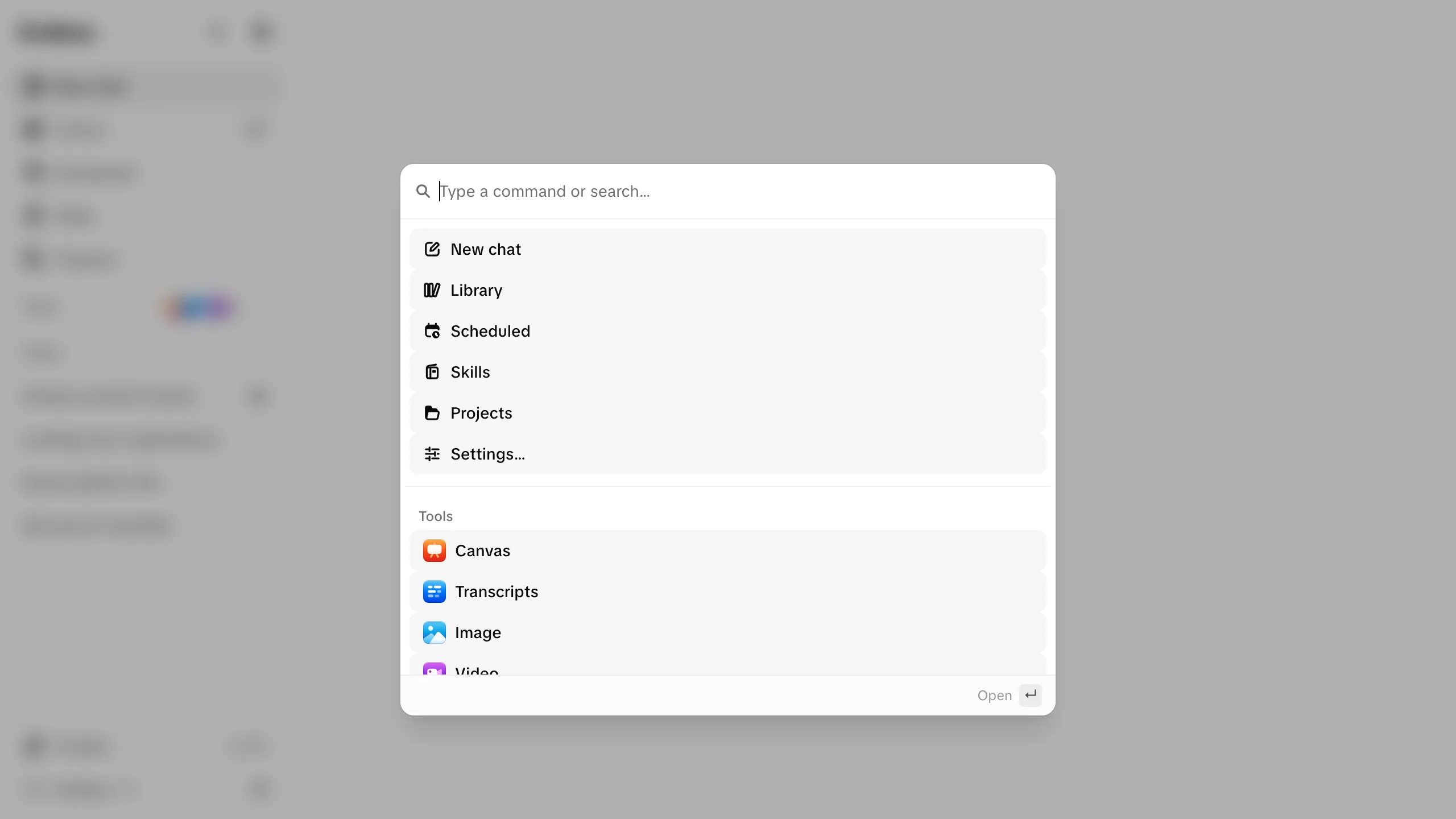
Every shortcut in Endless, grouped by where it works. Press ? anywhere to see the four global ones in the app.
⌘ and Ctrl are interchangeable everywhere except saving a skill file (⌘S on a Mac, Ctrl+S elsewhere). Tables show the Mac form. Shortcuts for a tool that is switched off for you don't work.
Anywhere in the app
| Keys | What it does |
|---|---|
| ⌘K | Open the command palette to search and go to any page |
| ⌘, | Go to your settings |
| ⌘B | Show or hide the left sidebar (workspace and settings) |
| ? | Show or hide the keyboard shortcuts dialog (not while typing) |
In the composer
Applies on the workspace home, in a chat, on the Image and Video pages, in a canvas's generate bar and in Social radar.
| Keys | What it does |
|---|---|
| Enter | Send |
| Shift+Enter | Line break |
@ | Open the mention menu |
/ | Open the skills menu |
| ↑ ↓ | Move through an open mention or skill menu |
| Enter or Tab | Take the highlighted item |
| Esc | Close the menu or the attachment picker |
- With nothing else focused, typing a letter puts the cursor in the composer and keeps the letter. Space still scrolls or presses the focused button.
- On a phone or tablet, Enter is a line break; use the send button.
- While dictating, Enter stops and keeps the words, Esc discards the recording.
In a chat
| Keys | What it does |
|---|---|
| ⌘Enter | Save a message you're editing |
| Esc | Cancel that edit |
| ⌘J | Show or hide the document panel (only when the chat has a document or artifact) |
Forms and dialogs
| Keys | What it does |
|---|---|
| ⌘Enter | Submit the form (also from the invite dialog's email field) |
| Esc | Close the dialog |
On a schedule's form, the first ⌘Enter opens the review and the second saves. Plain Enter never advances it.
Asset preview
| Keys | What it does |
|---|---|
| ← / ↑ | Previous item |
| → / ↓ | Next item |
| Esc | Close the preview, or collapse an expanded stack in the library |
In a transcript
| Keys | What it does |
|---|---|
| ⌘F | Search the transcript (replaces the browser's find bar) |
| Enter | Next match |
| Shift+Enter | Previous match |
| Esc | Close the search |
| Space | Play or pause |
| ← / → | Back or forward ten seconds |
Space, ← and → are ignored while you're typing in a field or have a button focused.
On a canvas
| Keys | What it does |
|---|---|
| ⌘G | Show or hide the right panel (Assets, Info and other tabs) |
| ⌘I | Show or hide Info for the selection |
| , | Open cursor chat with others on the board |
For drawing shortcuts (tools, undo, zoom, grouping), right-click the board: the menu shows each one.
Editing a skill
| Keys | What it does |
|---|---|
| ⌘S / Ctrl+S | Save the file (platform-specific) |
| Esc | Leave editing (does nothing if there are unsaved changes) |
Resizing a panel
On the chat document panel and the asset preview, tab to the drag handle, then:
| Keys | What it does |
|---|---|
| ← / → | Move the handle |
| Shift+← / → | Move it faster |
| Home / End | Move it to either end |
Permissions
Every permission an Endless workspace enforces, what each one lets someone do, and which of the four roles holds it by default, in one table.
Glossary
Every term Endless uses for something specific, from assets to workspaces, defined in one line each with a link to the page that explains it.