Chat
One chat that can write, search, generate media and build in a single reply. Start a conversation, see what it costs, and steer a reply that goes wrong.
Chat is the front door. It's where most work starts, and it reaches almost everything else in Endless — your projects, your files, the models, the web.
Start a conversation
New chat at the top of the sidebar opens the workspace home. It greets you differently every time, so don't go looking for a fixed heading. Type what you want in your own words — there's no special syntax — or start from the suggestions under the composer, one of which is usually personalized to a project you already have.
Draft five Instagram captions for our spring launch. Keep each under 20 words, no emoji, and match the voice in @spring-campaign.Send it and Endless names the conversation from your first message, then files it under Recents in the sidebar.
The composer takes more than text: attach a file or pick something you already made
(attachments); type @ for a project, a transcript, a model or a social
handle and / for a skill (mentions); dictate instead of typing, which needs
microphone access and isn't in every browser; and choose the model powering the conversation,
with Auto — "Best model for each task" — at the top. Some workspaces switch that picker
off; if you don't see it, Endless still picks a model for you.
What it can do in one reply
It isn't only writing. During a single reply Endless can go and do things, and it shows each step as it takes it.
@image Make a dreamy product teaser for our launch — the bottle on wet stone, backlit, cinematic haze. Square.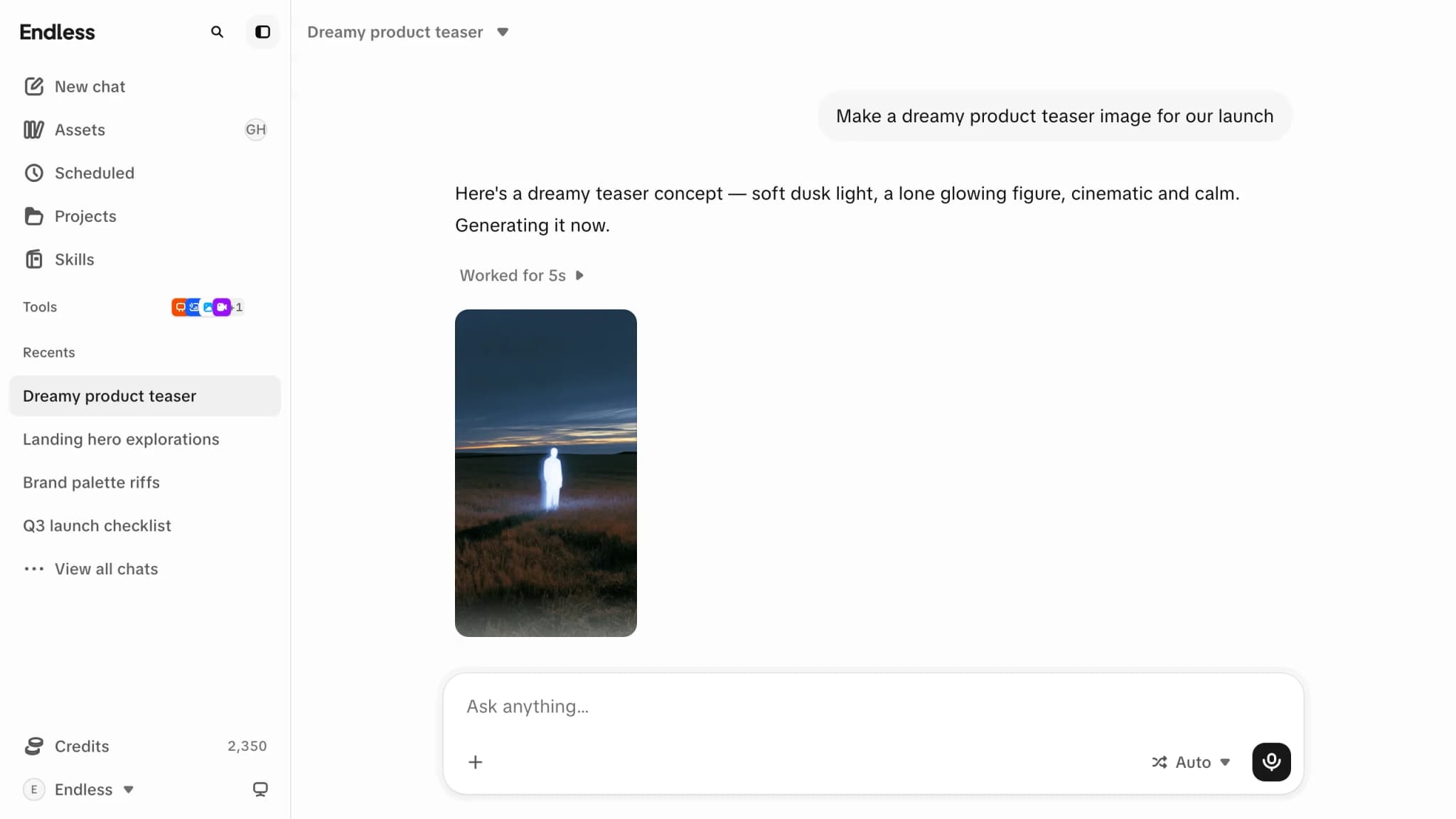
- Write — drafts, rewrites, outlines and summaries.
- Read any social platform — profiles, posts, comment threads, searches and trends, straight from Instagram, X, TikTok, YouTube, Reddit, LinkedIn and Facebook. A web search can't see inside those; chat can.
- Search the web when the answer depends on something current, and read pages you give it.
- Generate media — images with the same models the Image tool uses, and short clips from a scene description or a still. Video is the expensive end of the catalog.
- Transcribe a link or an attached recording, and read back transcripts you already have.
- Build documents you keep editing, and artifacts you can preview, download and open in Assets.
- Run small programs for exact maths or data work, and search your assets by what's in them, not just their names.
Transcribe this recording, pull the five strongest quotes, and turn each one into a LinkedIn post in our voice.It also uses whatever you've given it: the skills installed in your workspace, the connectors you've linked, and the knowledge of any project attached to the conversation.
What it can reach depends on your workspace. Image generation, video generation, transcripts, canvas, radar and scheduled tasks can each be turned off for a workspace, a team or one person, and so can individual models. If Endless says it can't do something you've seen it do elsewhere, that's usually why — see Models.
Know what a conversation costs
Every assistant reply shows its cost under it as "~N credits" — select it for "Response usage", which names the model, the steps it took, and where the credits went. Anything the reply makes on the way — an image, a video, a search, a lookup, a transcription — has its own price, shown on that step. When one of those paid steps fails, its cost is struck through and refunded; that's about the step, not the conversation's own cost.
Your workspace may be set up to ask before it spends — a card naming the action and its cost, with a countdown that decides on its own if nobody answers. Where that confirmation isn't switched on, paid steps run when the agent decides to take them and you see the cost afterwards. See credits and spending.
Steer a reply that's going wrong
While a reply is streaming, Send message becomes "Stop generating". It ends the reply and hands the composer back. What's already on screen stays, saved as it was, and the conversation carries on — but anything Endless already finished and charged for, like an image or a search, stays charged. Stopping doesn't undo it.
Media is the exception: while an image or video is being made the composer is paused until it finishes, with no stop button on purpose. The generation is already running and already paid for, so it waits rather than throwing the result away.
Usually a better move is to change the question. Hover your own message and choose "Edit" — editing creates a new branch, and the arrows switch between them, even while a reply is still generating. Nothing is lost. "Regenerate" under a reply asks again and keeps both answers as versions of the same turn; it isn't offered mid-reply, or while media is generating.
When something goes wrong
- "Couldn't reach the model. Try again." — a transport problem, not a refusal, with a "Retry" right there.
- "This workspace is out of credits." — "Add credits to keep chatting" if you can manage billing, "Ask an admin to add more" if you can't. No Retry, because retrying would be refused again.
- "You've reached your spending limit in this workspace. Ask an admin to raise it." — the workspace still has credits; your personal or team cap ran out. See credits and spending.
- "Lost the connection to that response. Try again." — you closed the tab a second after sending, and the answer was being written somewhere your browser can no longer follow. "Retry" asks again.