Shared chats
Work in one chat with your team in real time, see who is there and who wrote what, and know who can send, stop and pay for each reply.
Everyone who can open a shared chat sees the same conversation live, and anyone who can write can send the next message. To share a chat, see chat history.
Who can do what
- Can write: the normal composer. Send messages and attach files. Your workspace role must also let you create content.
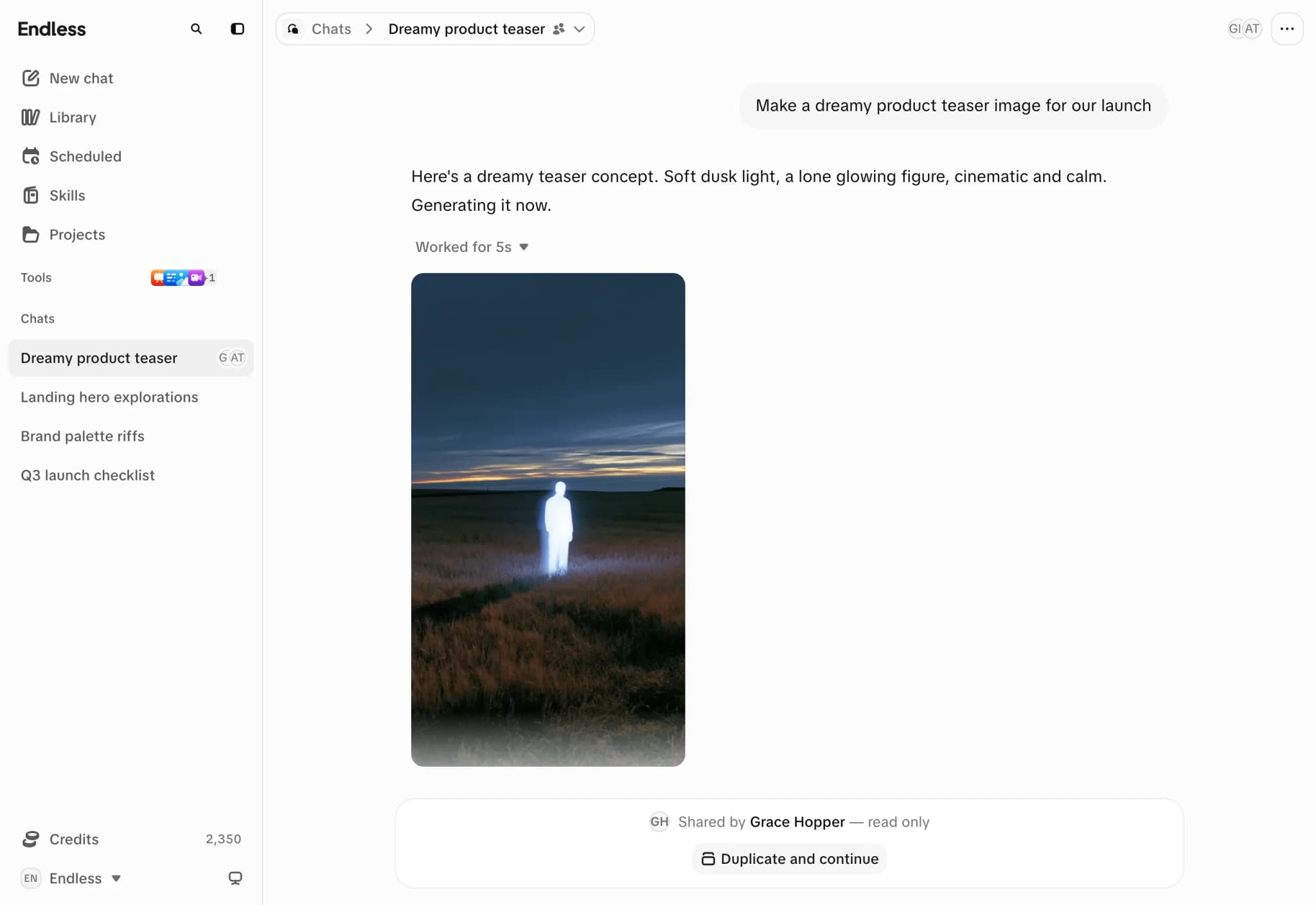
- Can view: you read along live. The composer is replaced by a banner naming who shared the chat. "Duplicate and continue" copies the conversation into a new chat of your own. The same button appears on scheduled task runs.
Working together
- Avatars of people viewing the chat appear in the header.
- Messages from others show their name and avatar. Endless knows who wrote what, so you can ask it to answer someone by name.
- "Ana is typing…" appears above the composer when someone types.
- Replies, steps and generated media appear live for everyone.
Replies, stopping and cost
- A chat runs one reply at a time. A message you send while a teammate's reply runs goes into the queue.
- Only the person who sent a message can stop its reply or the media it started.
- Each reply is charged to the person who sent the message, against their spending limit. Reading costs nothing. See credits and spending.
- Anyone who can open the chat can view its attachments and generated files. See attachments.