Spending confirmations
Decide when the chat stops to ask before it spends credits on images, video, web search, social data or transcription, and what happens if nobody answers.
Settings → Governance → Spending decides when the chat asks before it spends credits on image and video generation, web search, social lookups and transcription. When it asks, the chat shows a card such as "Generate this image?" with the cost and a button to go ahead or "Cancel". The card's "Spending settings" link opens this page.
Opening the page needs View workspace activity and governance; changing it needs Change workspace governance settings. Without the second, the page is read-only. Changes save automatically. Endless turns this page on per workspace: if Spending isn't in your settings menu, paid actions run without confirmation cards. See Roles and permissions.
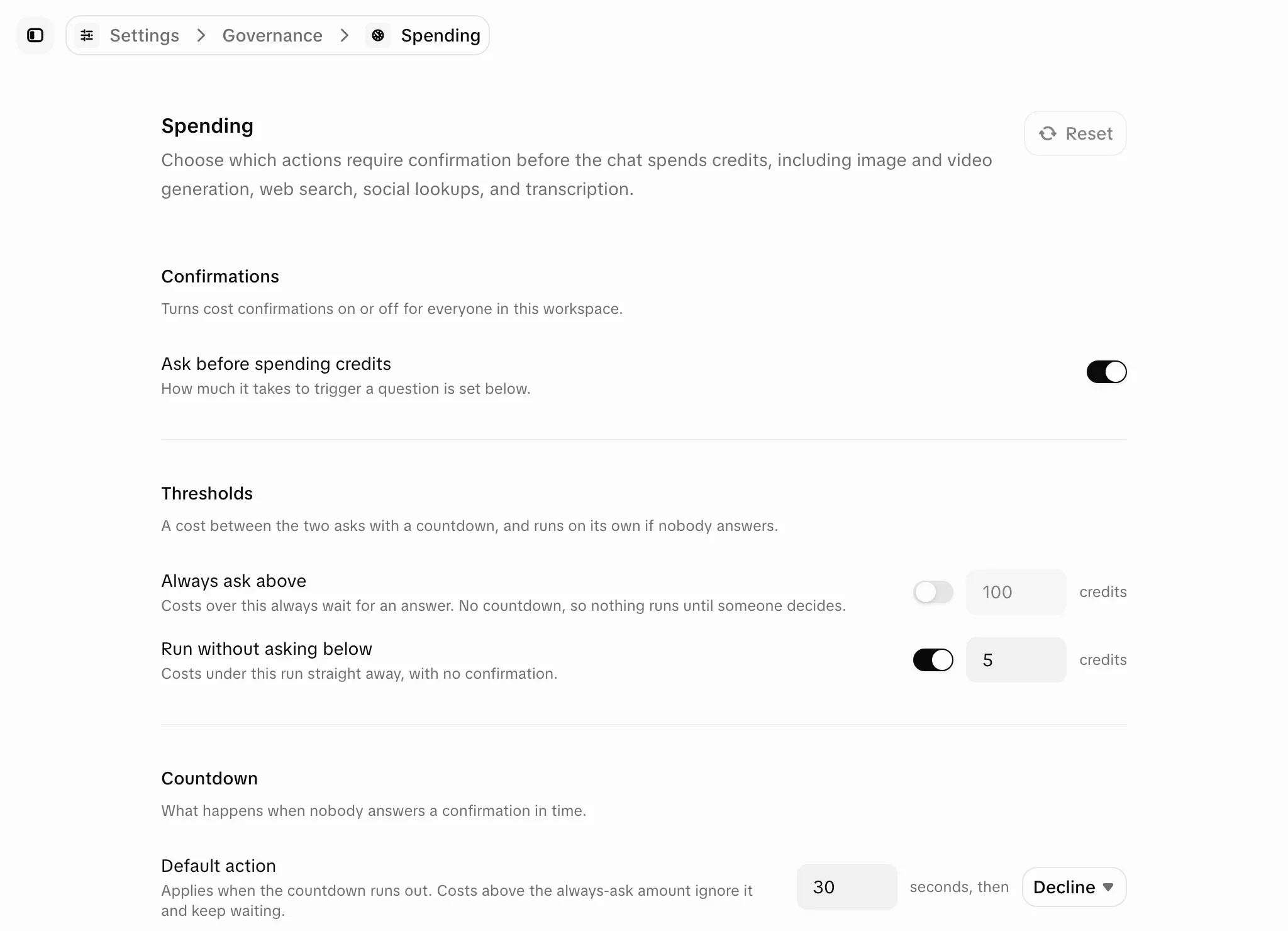
Settings
| Setting | What it does | Default |
|---|---|---|
| "Ask before spending credits" | Turns confirmations on or off for everyone. Off: paid actions run without asking. Your other settings are kept. | On |
| "Run without asking below" | Costs under this amount run without a card. | On, 5 credits |
| "Always ask above" | Costs over this amount wait for an answer, with no countdown. This overrides every other rule. Must be higher than the run-without-asking amount. | Off |
| Countdown | Seconds a card waits for costs between the two amounts. | 30 seconds |
| "Default action" | What happens when the countdown ends: "Accept" or "Decline". | Decline |
"Reset" at the top of the page restores the defaults. With the defaults, an unanswered card spends nothing.
Edge cases
- When the cost isn't known in advance, such as a transcription priced by length, the card shows "Cost depends on length". It counts down only if the default action is Decline; with Accept it waits for an answer.
- Scheduled tasks run with nobody to answer, so their paid actions run without a card.
- Confirmations don't limit spending. Spending limits are set per person and per team; see Teams and limits.